AI Photo Tool

AI Pumpkin Head Photoshoot

Upload a photo of one or two people, choose a scene and generate.

New Google or Gmail accounts get 20 free credits, enough for 1 photo.

1. Your photo

Sign in to upload. Free accounts can use signup credits with Fast · Medium, Low or Auto (Low). The default photo costs 15 credits.

2. Choose your lookGolden Field

Golden light and an autumn field.

4. Aspect ratio
Aspect ratio
People

Number of images

Number of images

15 credits · one AI photo

Includes 5 credits per reference photo. Sign in to upload and generate.

For couple portraits, start with one photo showing both people.

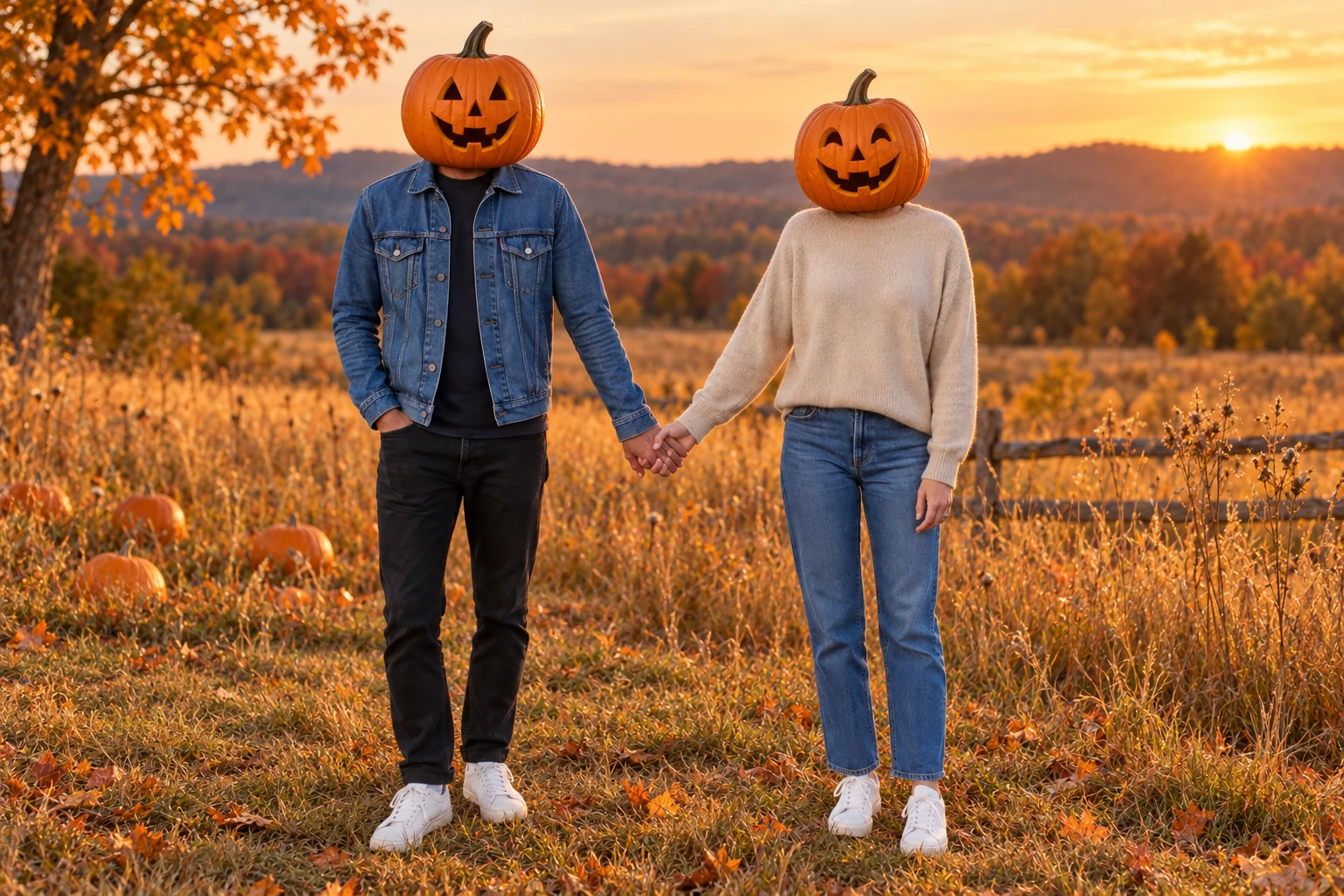
Two people with pumpkin heads holding hands in an autumn field
Example result · AI illustration. Your result may vary.

Example looks · press Use to load one into the generator above. AI illustrations; your results will vary.

  • Two people with carved pumpkin heads holding hands in an autumn field at sunset

    Golden field couple

    Couples

    Preset: Golden Field · autumn field at golden hour, natural daylight · People: Couple.

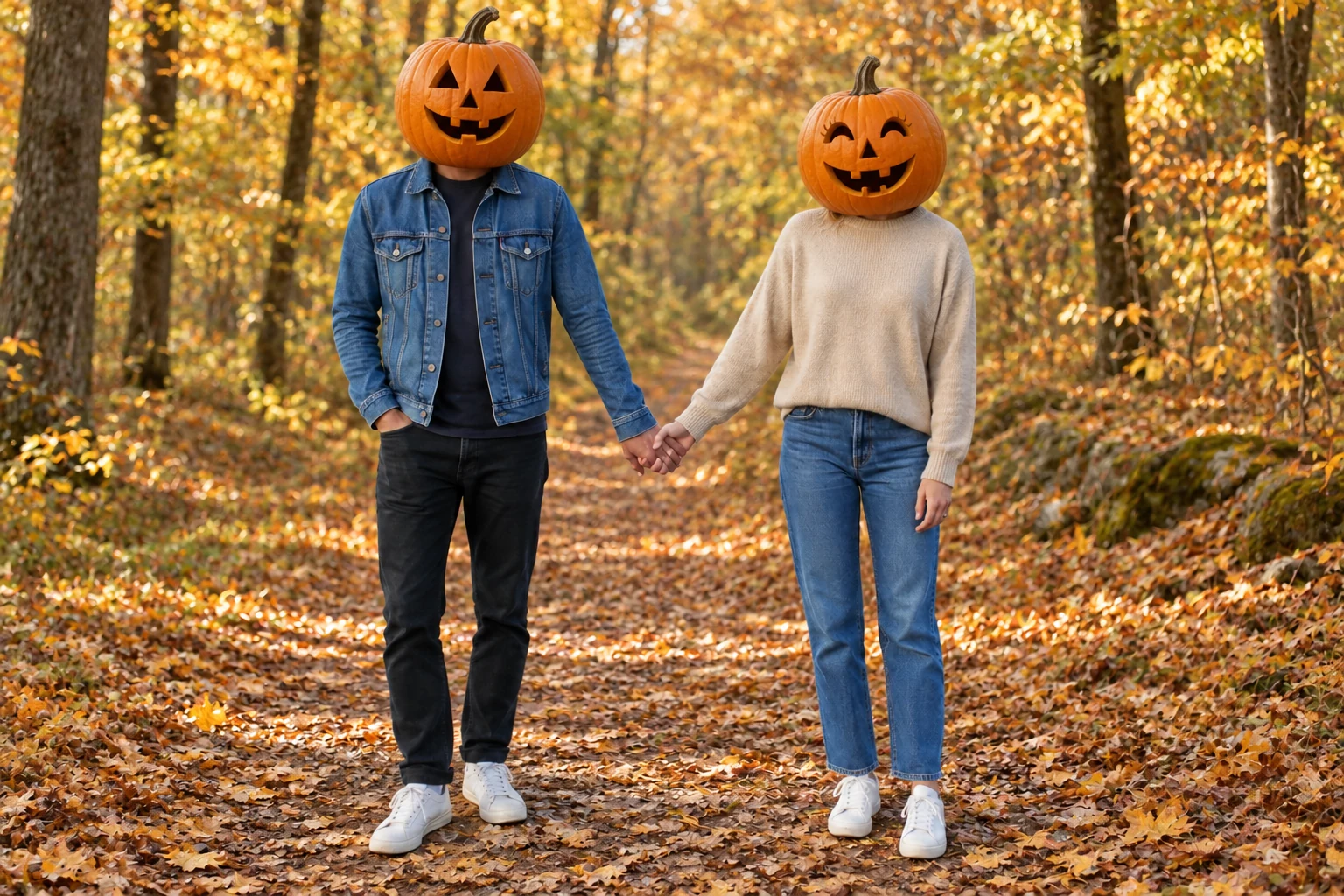
  • Two people with pumpkin heads holding hands on a forest path covered in fallen leaves

    Forest walk couple

    Couples

    Preset: Forest Walk · forest path with orange and yellow fallen leaves, natural daylight · People: Couple.

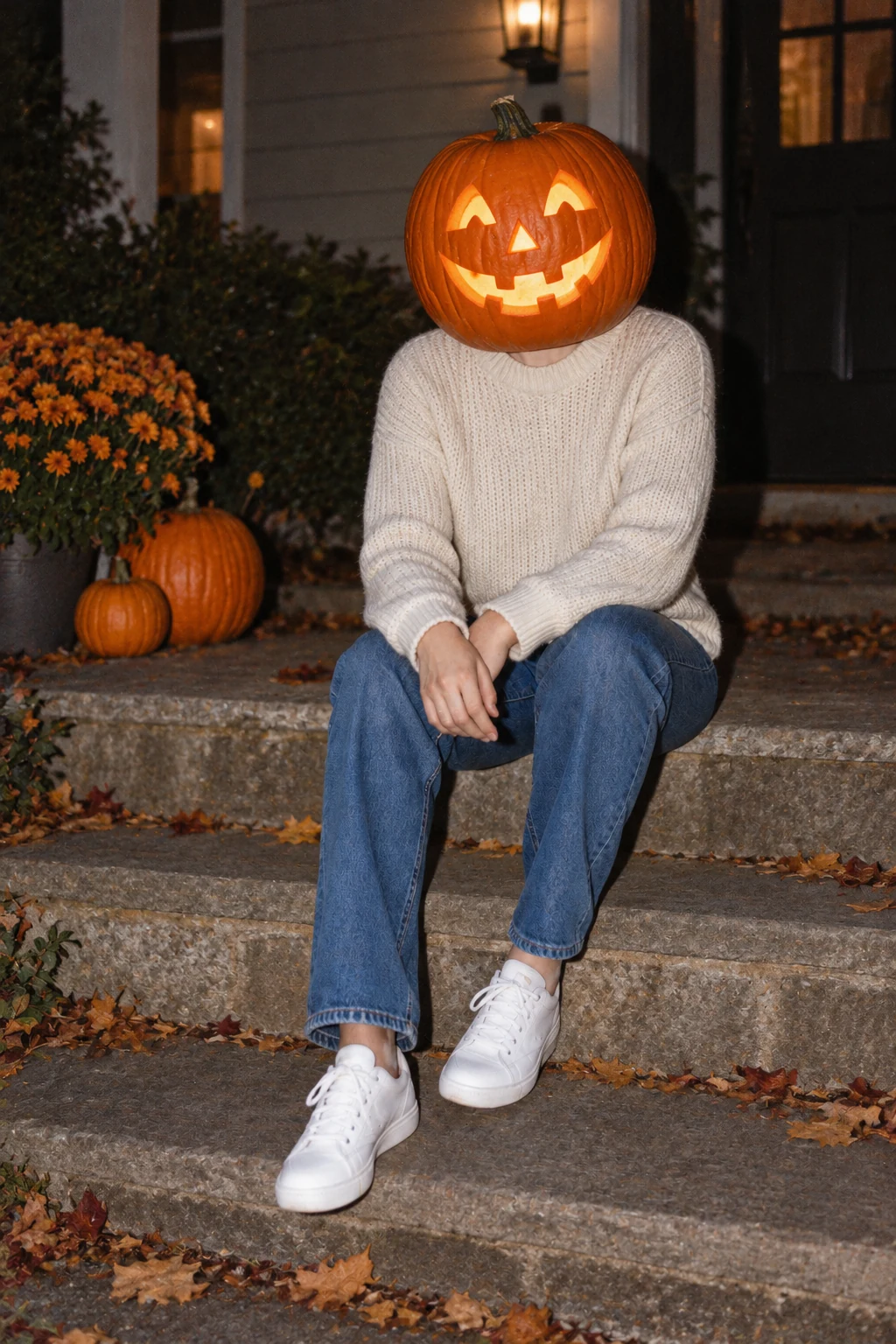
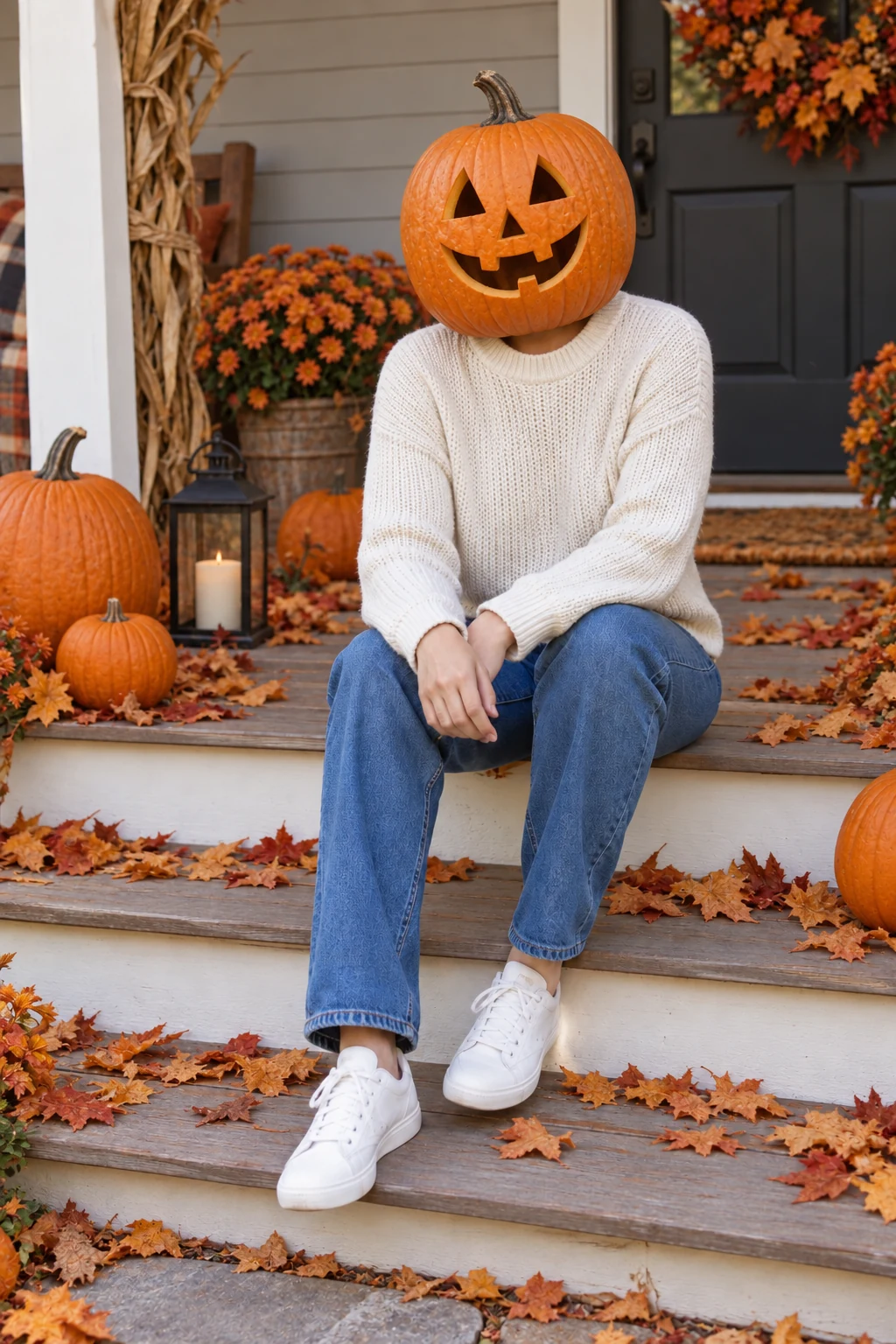
  • Person with a pumpkin head sitting on porch steps among leaves and decorative pumpkins

    Cozy porch

    Solo daylight

    Preset: Cozy Porch · autumn porch with fallen leaves and decorative pumpkins, natural daylight · People: Solo.

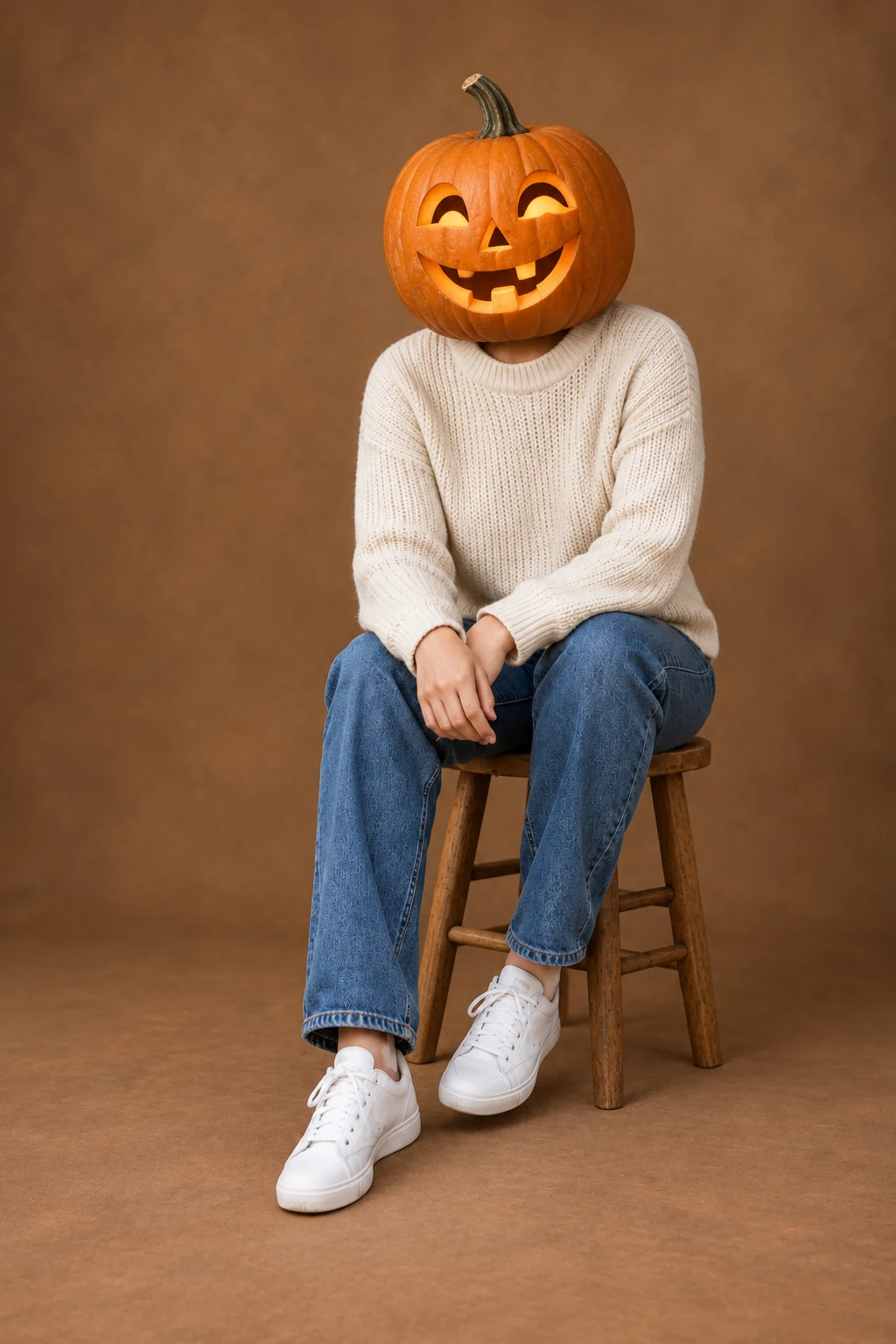
  • Seated full-body pumpkin-head portrait against a warm brown studio backdrop

    Studio Halloween

    Solo daylight

    Preset: Studio Halloween · warm brown plain studio backdrop, clean full-body composition · People: Solo.

  • Pumpkin-headed person in a sweater on porch steps photographed with direct flash

    Vintage flash

    Solo night

    Preset: Vintage Flash · nighttime direct-flash photography with vintage film grain · People: Solo.

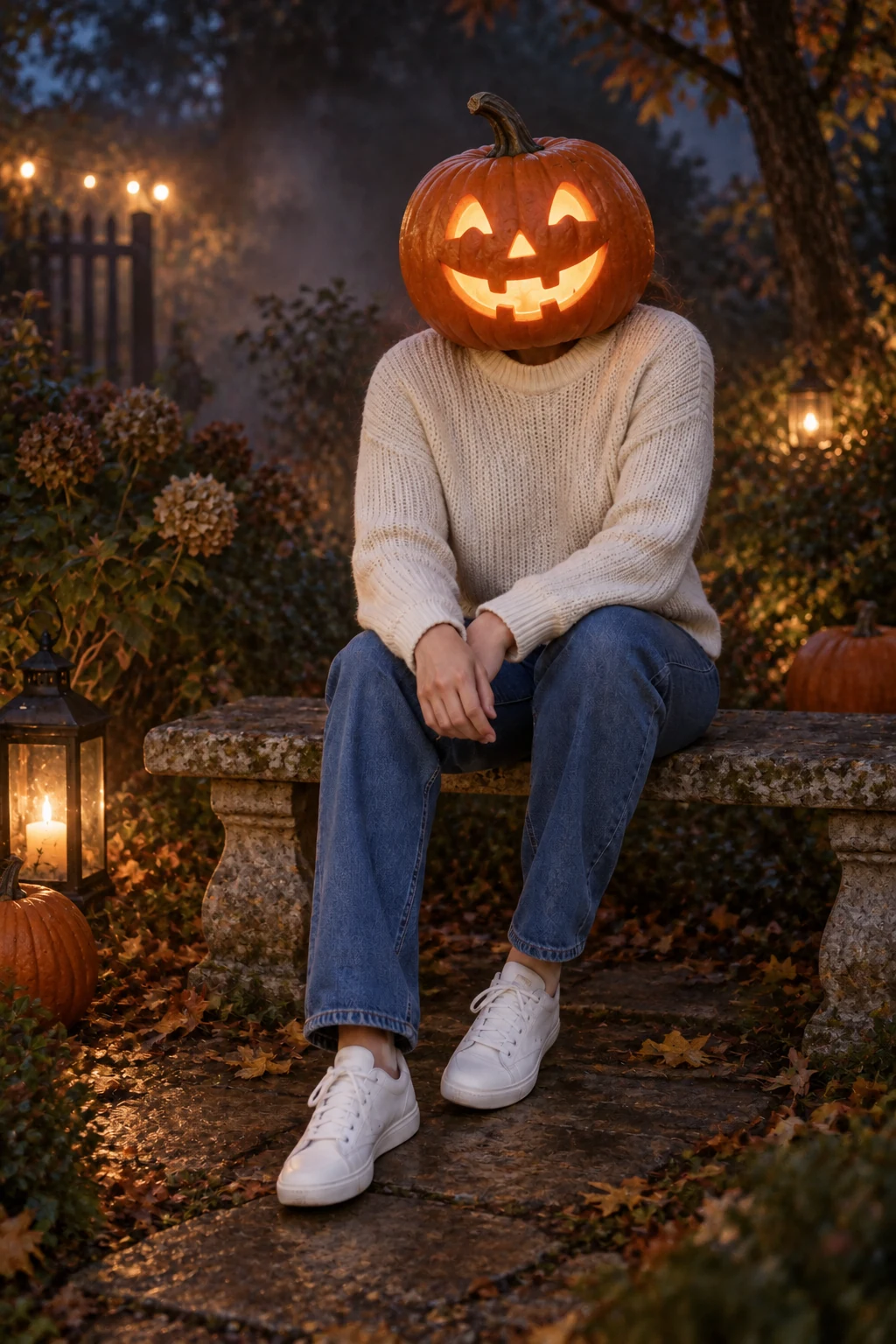
  • Pumpkin-headed person in a dim misty garden with a glowing carved pumpkin head

    Spooky night glow

    Solo night

    Preset: Spooky Night · dim garden with gentle mist, warm light inside the carved pumpkins · People: Solo.

AI Pumpkin Head Photoshoot: The Fall Trend from Your Own Photo

Carved pumpkin heads, golden fields and glowing porches, no costume required.

Updated

The AI Pumpkin Head Photoshoot gives you the viral fall portrait without carving a pumpkin or booking a photographer. Upload a photo of one person or two people. The generator replaces each head with a carved orange pumpkin and keeps the clothing, poses and positions from your photo. Choose one of six scenes: Golden Field, Cozy Porch, Forest Walk, Vintage Flash, Spooky Night or Studio Halloween. Set Solo or Couple, and couples get a wider 3:2 frame automatically. Advanced settings cover the model, quality, aspect ratio and up to four images. Results are saved in My Creations.

  • AI Pumpkin Head Photoshoot
  • Pumpkin Head Photo Generator
  • Couple Pumpkin Head Photoshoot
AI Pumpkin Head Photoshoot result: a couple with pumpkin heads in a golden field

How to Use the AI Pumpkin Head Photoshoot

  1. Step 1

    Upload a solo or couple photo

    Choose a clear photo of one person or two people, with heads and bodies fully in frame. Full-body or knee-up shots look best, because the pose carries the image. For a couple shoot, use one photo that shows both people together. Sign in to upload; new Google and Gmail accounts receive enough free credits for one photo. Your upload stays private and is deleted after one day.

  2. Step 2

    Choose a scene and Solo or Couple

    Pick a daytime scene like Golden Field, Cozy Porch or Forest Walk, or a night scene like Vintage Flash or Spooky Night. Studio Halloween keeps things simple. Then select Solo or Couple; Couple switches to a wide 3:2 frame. Open Advanced settings for quality and up to four images. Night scenes add a warm glow inside the pumpkin.

  3. Step 3

    Generate and share

    Press Create My Pumpkin Head Photo and keep the page open for about a minute. Compare the result with your photo, then download it. Try another scene with the same upload if you want a set. Every image is saved in My Creations. Small differences between attempts are normal, so generating twice can help you choose.

Why Use a Pumpkin Head Photo Generator

Pumpkin-head portrait on a leaf-covered porch that keeps the original sweater and jeans

Your pose and outfit stay, the head becomes a pumpkin

The generator replaces each human head with a complete carved pumpkin shell. It keeps the clothing, body poses and positions from your photo, and never adds or removes a person. Pumpkin size stays in proportion to the shoulders, with natural contact shadows. There is no gore or severed-neck look. The result reads as a styled fall photoshoot, not a horror edit. Simple, relaxed poses look most natural with a pumpkin head. Standing, sitting on steps or holding hands all work well.

Swap In a Pumpkin
Couple pumpkin head photoshoot on a forest path with orange leaves

A couple pumpkin head photoshoot from one picture

Couples are a big part of this trend. Upload one photo of the two of you and choose Couple. Both heads become pumpkins, and your hands, outfits and spacing stay as they were. The frame widens to 3:2 so neither person is cropped. Golden Field and Forest Walk are the most popular couple scenes, but any scene works. Make sure both people are fully visible in the original so the generator can place both pumpkins correctly. Holding hands or leaning together reads best.

Make a Couple Shot
Seated pumpkin-head portrait against a warm brown studio backdrop

Golden-hour and cozy daytime scenes

Golden Field puts you in an autumn field at golden hour with natural daylight. Cozy Porch adds fallen leaves and decorative pumpkins close to home. Forest Walk places you on a leafy path. Studio Halloween uses a warm brown backdrop and a clean full-body frame. Daytime scenes use daylight, so the pumpkins look like real props. Daylight scenes suit greeting cards and family albums. They also print well because the colors stay warm and natural.

Shoot in Daylight
Pumpkin-headed person in a misty garden with a glowing carved pumpkin

Glowing night shots and vintage flash

Night scenes switch the mood. Spooky Night places you in a dim garden with gentle mist and warm light inside the carved pumpkin. Vintage Flash uses direct nighttime flash with vintage film grain, like an old party snapshot. Only night scenes add the internal glow. Use them for invites, stories and spooky profile pictures. Night scenes look best in a tall 2:3 frame for stories. Try two images, since the carved face design changes each time.

Light It Up at Night

Pumpkin Head Photo Ideas

  • Halloween profile picture

    Swap your avatar for a seasonal portrait that still shows your style. It still shows your outfit and pose.

    Example: A Spooky Night portrait cropped square for October.

  • Couples fall photoshoot

    Get the trending couple shot without a photographer or real pumpkins. An old vacation photo works well.

    Example: A Golden Field couple photo from a vacation picture, posted as an anniversary throwback.

  • Halloween party invite

    Use a glowing night portrait as the cover image for your party invite. Night scenes match party invites best, and they work well as story covers too.

    Example: A Vintage Flash portrait on a black-and-orange invite for a backyard party.

  • Seasonal greeting card

    Print a playful autumn photo for cards, frames or a fridge magnet. Warm daylight scenes print especially well.

    Example: A Cozy Porch portrait on a fall greeting card for grandparents.

Pumpkin Head Scene Combinations

  • Golden Field + Couple: two people holding hands in an autumn field at golden hour.

  • Cozy Porch + Solo: porch steps with fallen leaves and decorative pumpkins.

  • Spooky Night + Solo: a misty garden with warm light glowing inside the pumpkin.

  • Forest Walk + Couple: a leafy path in orange and yellow, shot in daylight.

AI Pumpkin Head Photoshoot FAQ

How do I do a pumpkin head photoshoot without a real pumpkin?

Upload a clear photo and let the generator add the pumpkin. A worked example: a full-body photo of one person, Cozy Porch, Solo, Fast · Medium, 2:3 and one image. The result keeps your outfit and pose on a leafy porch, with a carved pumpkin in place of your head. Swap the scene to Spooky Night for a glowing version.

Can I make a couple pumpkin head photoshoot from one photo?

Yes. Upload one photo showing both people and choose Couple. Both heads become pumpkins and the frame widens to 3:2. The generator works from one photo, so it cannot combine two separate solo pictures into one couple shot. Both people should be clearly visible and not overlapping much.

Does the pumpkin head photo generator change my outfit or pose?

No. It is told to keep your clothing, body pose and position, and never to add or remove a person. Only the heads and the scene change. If you want a different outfit, change it in the photo before you upload. Pumpkin size stays in proportion to your body.

What kind of photo works best?

A sharp, well-lit photo where heads, shoulders and most of the body are visible. Simple poses, like standing, sitting on steps or holding hands, give the cleanest results. Avoid crowded backgrounds and photos with more than two people. Phone photos are fine as long as they are sharp.

How much does an AI pumpkin head photo cost?

The default Fast · Medium setting costs 15 credits per image, including the reference photo. New accounts that use Google sign-in or a Gmail address get 20 free credits, enough for one portrait. Images made with free credits carry a small watermark until you buy a plan or credit pack. Higher quality settings cost more, and the total always appears before you generate.

What are the limits of the AI Pumpkin Head Photoshoot?

It supports one or two people per photo. Hands, fingers and small background details can come out slightly wrong, and the carved face design varies between images. Review each result, and generate again if something looks off. Very dark or blurry photos also reduce quality.

Start Your AI Pumpkin Head Photoshoot

Upload one photo, pick a fall scene and get your pumpkin-head portrait in about a minute.