Subtle
A close alternative for side-by-side decisions late in a design: a slightly tapered band, a thinner bezel, one fewer accent stone.
Jewelry Studio · Edit & variations
Good design reviews compare options that differ in one way. Upload a design image, pick the element to vary and how far to go, and get one alternative with the rest of the design locked.
Updated · Image25 Jewelry Studio
15 credits · Fast · Medium · 1 image
Includes one reference photo. Every new generation costs 15 credits.
Email sign-in keeps your selection. Google sign-in leaves this page; reselect your photo and settings after returning.
Band or chain · Subtle
New band, shank or chain style.
Jewelry design variations change one element of a design: the band or chain, the setting, the accent stones or the overall silhouette. Choose Subtle for a close alternative or Bold for a new direction; the metal color, main stone and background stay the same. One variation costs 15 credits and is a concept image.
01
One oval solitaire concept, varied three ways.
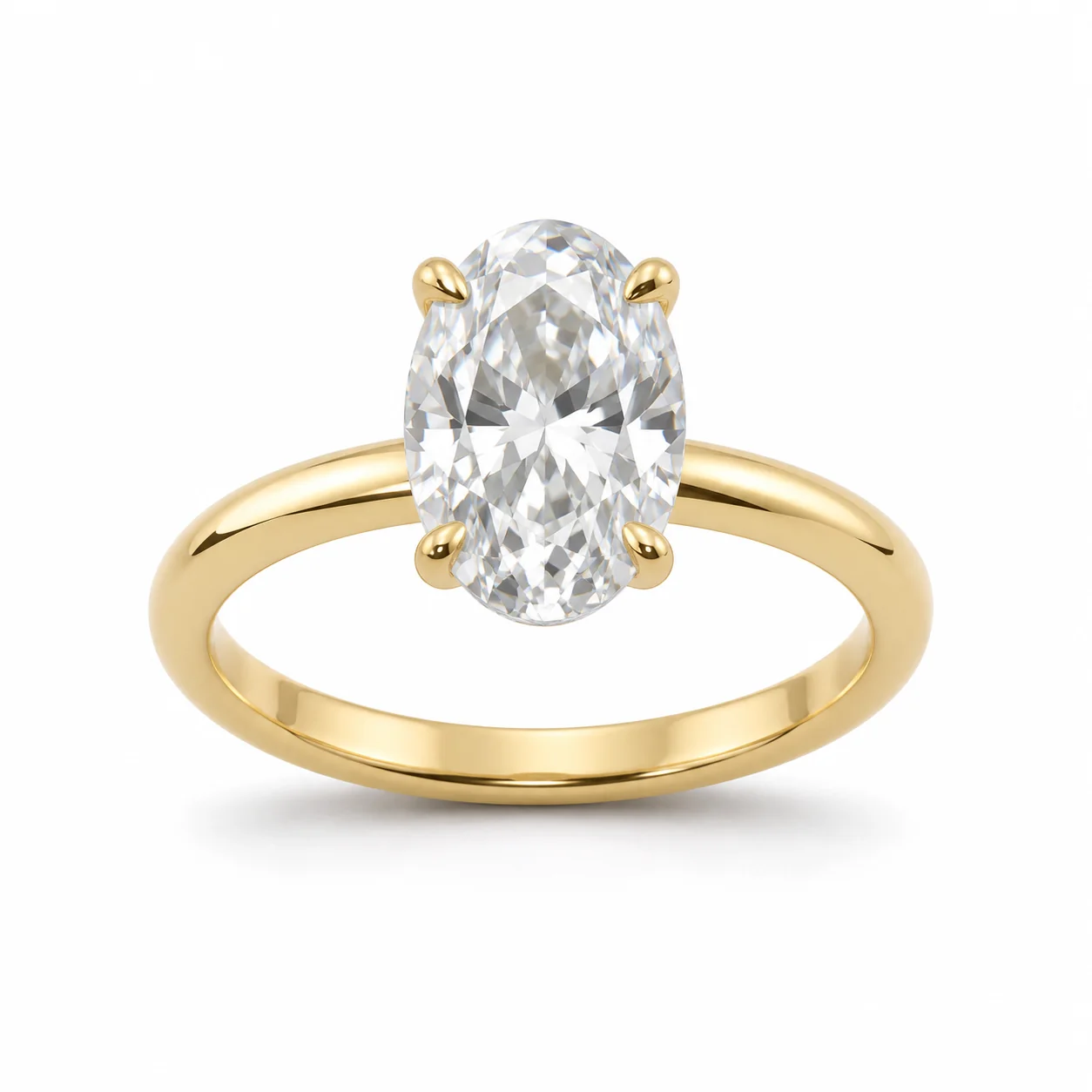 Before
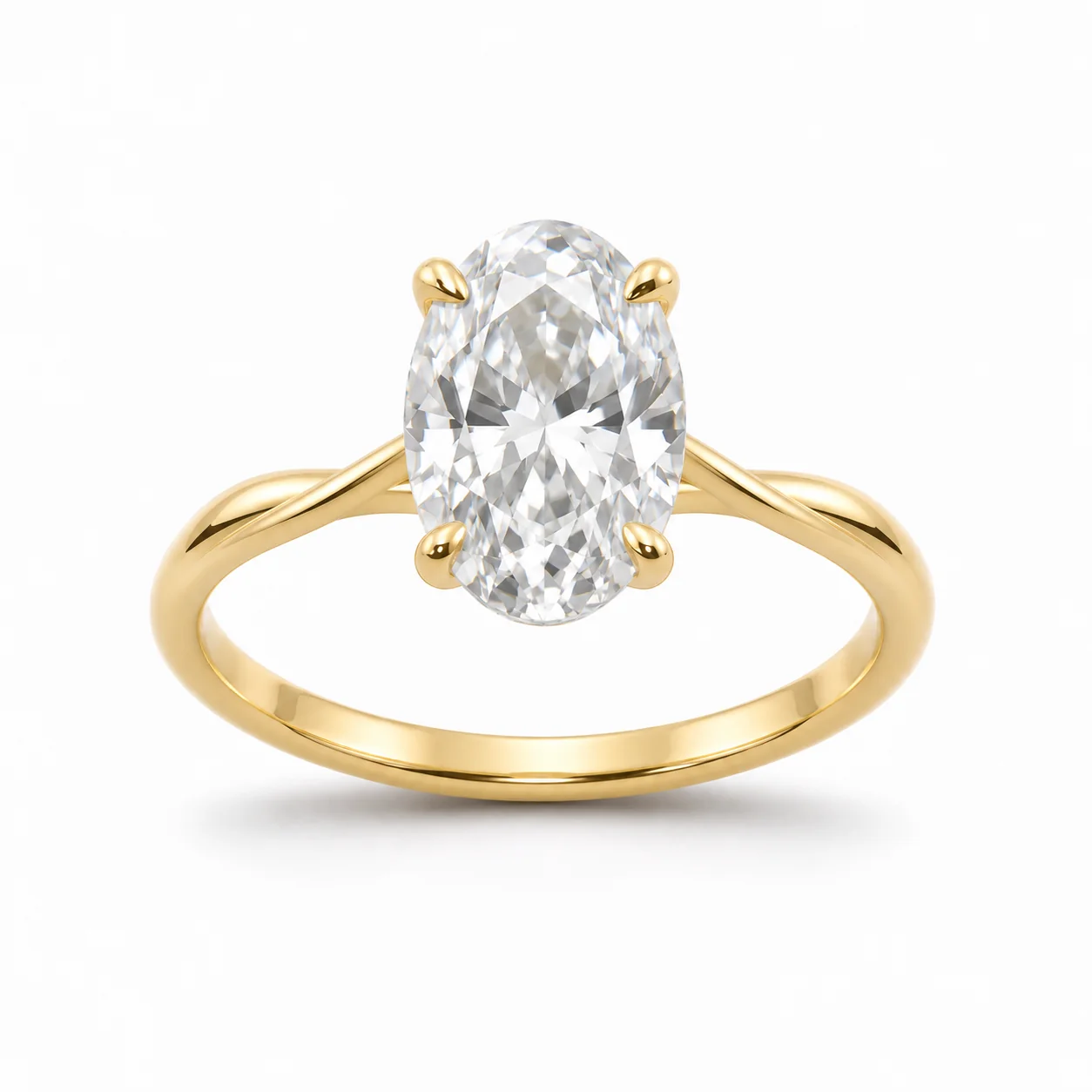 AfterBefore
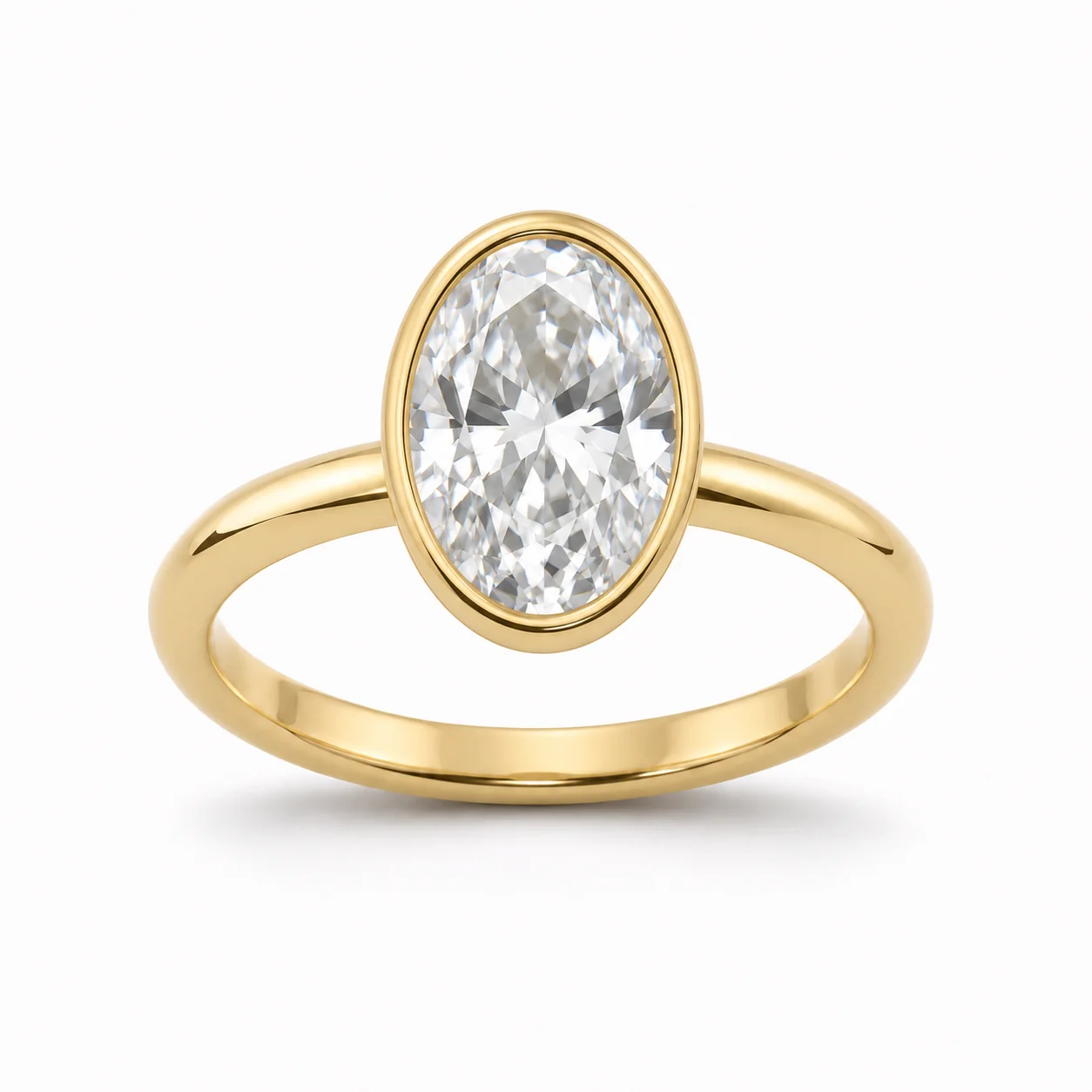 AfterBefore
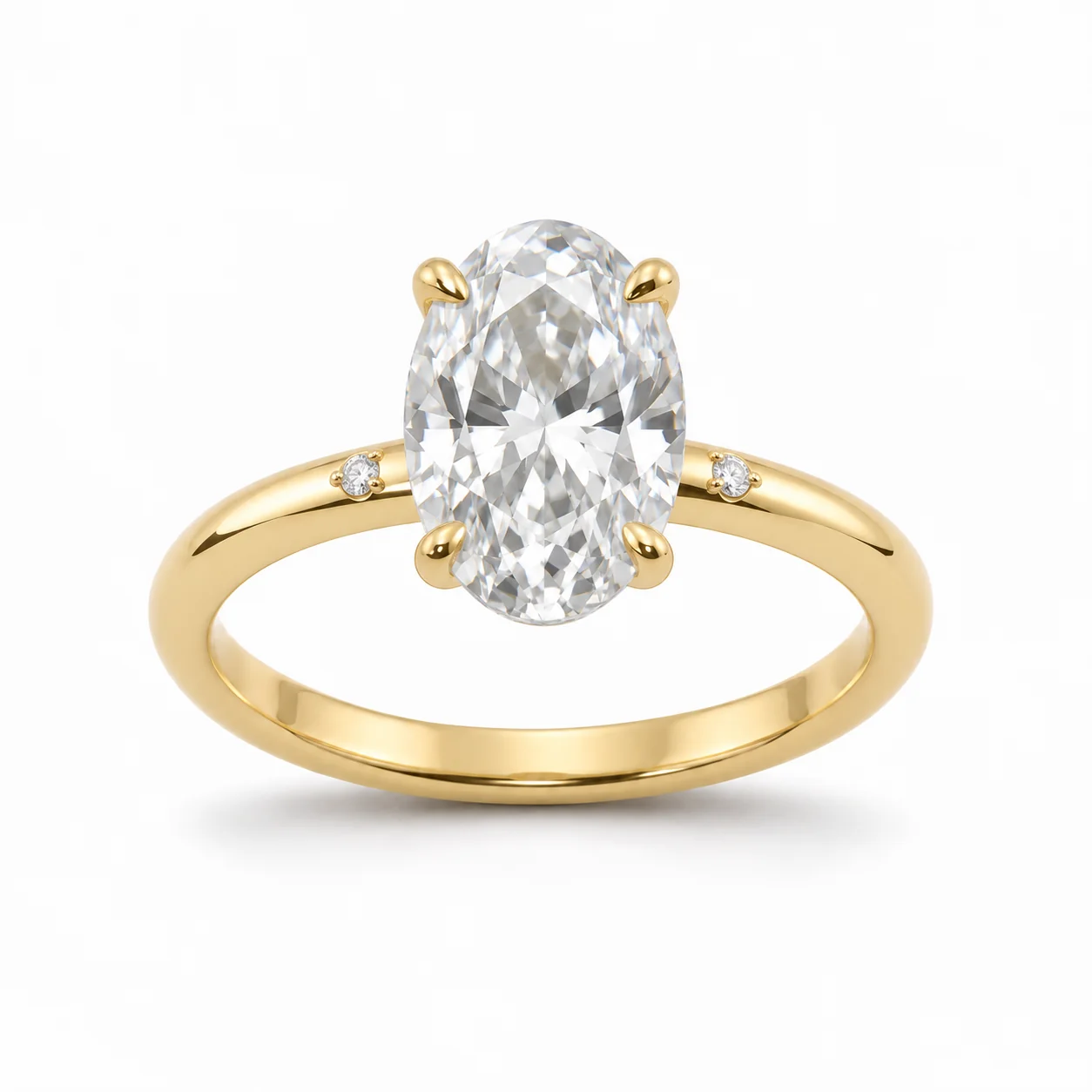 After
02
They are alternatives that differ from the original in one named element. Instead of asking for “some new ideas” and getting designs that change everything at once, you choose what may change. The model varies only that element and is told to keep the metal color, the main stone, the rest of the design, the background and the light the same.
That control is what makes variations useful. When two images differ in one way, you can judge that one decision: is a twisted band better than a plain one, does a halo add or distract, do side stones help? When they differ in five ways, the comparison tells you little.
Each generation makes one variation, so you can build a set step by step: three band options, then two settings on the chosen band. All results are concept images, not designs that have been engineered or made.
03
Use the version everyone agreed on: a render, a sketch render or a photo of a sample. Choose the jewelry type and upload one PNG, JPEG or WebP.
Pick Band or chain, Setting, Accent stones or Silhouette, then Subtle or Bold. Use the notes to protect details, for example “keep the hammered texture”.
Put the variation beside the original and check that only the chosen element changed. Generate again for another option, or upload the winner to vary the next element.
04
Each option answers one design question.
| Element | Changes | Stays | Answers |
|---|---|---|---|
| Band or chain | Shank or chain style: split, twisted, tapered, textured | Setting, stones, metal | How should the piece feel to wear? |
| Setting | How the main stone is held: prongs, bezel, halo, tension | Band, stone, metal | How much should the stone stand out? |
| Accent stones | Small stones added, removed or rearranged | Main stone, band, metal | Does the design need more sparkle? |
| Silhouette | Overall proportions and outline | Parts, metal, stones | Is the piece balanced? |
05
Strength controls how far a variation moves from the original.
A close alternative for side-by-side decisions late in a design: a slightly tapered band, a thinner bezel, one fewer accent stone.
A clearly different direction for early exploration: a split shank, a halo, a much more elongated outline.
Explore with bold variations, pick a direction, then refine it with subtle ones. It keeps early reviews open and late reviews focused.
Vary one element, choose, then upload the chosen version to vary the next. Stacking several changes in one image makes the comparison unclear.
06
07
A good variation changes one thing well.
| Check | Good result | Reject if |
|---|---|---|
| Chosen element | Clearly varied at the chosen strength | No visible change, or a different element changed |
| Main stone | Same shape, color and size | The stone changed |
| Metal | Same color and finish | The metal changed tone |
| Other elements | Unchanged | Several elements changed at once |
| Plausibility | A design that looks wearable | Floating parts or impossible joins |
| Background | Unchanged | New background or lighting |
08
Show three band options on one approved setting so the client chooses one thing.
Example: plain, twisted and split bands, all Subtle.
Turn one hero design into a family of related pieces.
Example: one pendant with bold silhouette variations.
Test a halo or side stones before modeling them in CAD.
Example: Setting, Bold, then Accent stones, Subtle.
Ask whether proportions are right by seeing a close alternative.
Example: Silhouette, Subtle, on a cuff concept.
09
Treat variations like design versions.
Save results as “band-twisted-subtle” or similar, so a review can refer to them precisely.
Decide the band first, then the setting, then accents. Each round starts from the previous winner.
When the look is settled, have the chosen version modeled in CAD for real dimensions and stone seats.
Use your own designs or ones you have rights to. Variations of another maker’s signature piece can still copy it.
10
Most failed results have a simple cause.
Subtle variations can be very close to the original. Switch to Bold, or describe the direction in the notes, such as “split shank”.
If several elements change at once, switch to Subtle and add “change only the band” (or the element you chose) to the notes.
Add “keep the center stone exactly the same” to the notes. The stone is locked by default, but strong variations can still affect it.
Bold variations can produce floating parts or joins that cannot be cast. Reject them, or treat them only as mood references.
Always start a new round from the chosen version, not from the latest experiment, so changes do not stack up unnoticed.
Protect the signature detail of your design in the notes, such as “keep the hammered texture and the off-center setting”.
Before you publish
A variation shows how a design might look with one element changed. It does not check wall thickness, stone security, comfort or whether the piece can be cast. Use CAD and samples for those questions.
Label variations as concepts when you share them, and photograph the made piece before you sell it.
Questions
They are concept alternatives of one design that change one element you choose: the band or chain, the setting, the accent stones or the silhouette. Everything else, including the metal color and main stone, stays the same.
A new-design prompt changes many things at once. Here you name the one element that may change, so each variation is a clear comparison with the original.
Use Bold early to explore directions, and Subtle later to refine a chosen direction. Subtle variations are best for side-by-side client decisions.
Each generation makes one variation. Generate again for more options; each costs the same. Keeping them one at a time keeps every result focused on one change.
Use the metal color changer or the gemstone swap preview for those. This tool keeps the metal color and main stone locked on purpose.
No. They are concept images. Have the chosen design modeled in CAD and reviewed by a bench jeweler before making it.
Each image costs 15 credits on the default Fast setting, including your reference photo. New accounts that use Google sign-in or a Gmail address get 20 free credits, enough for one image. Free-credit images carry a watermark and are for personal use; use paid credits for store and marketplace images.
Your upload is private and scheduled for deletion after one day. On a free account, generated images stay in My Creations for 14 days; paid plans and credit packs keep them longer.
Upload the agreed design, choose one element to vary, and compare the concept with the original.
Upload a design image