Guide · Selling on Etsy

Etsy AI Photo Rules for Jewelry Listings After the 2026 Update

Etsy updated its listing image requirements in October 2026. This guide explains what changed for jewelry sellers, what you can still do with AI, and how to bring a listing in line without starting over.

Published · Updated · Image25 Jewelry Studio

Build Etsy listing photos

In short

Under the Etsy AI photo rules as updated in October 2026, most listings need at least one real, unedited photo of the actual item on a real background. AI-assisted images are still allowed as additional photos, as long as they accurately show what the buyer receives.

Announced
October 22, 2026
Core rule
One unedited photo of the actual item
AI images
Allowed if they represent the item accurately
Applies to
New and existing listings
Exceptions
Some print-on-demand, digital, custom, made-to-order

01

What Changed in Etsy’s AI Photo Rules in 2026

Etsy has always required listing photos to represent the item for sale. The October 2026 update makes that concrete: for most listings, at least one photo must be an unedited photograph of the actual item against a real background. A rendered mockup, a composited scene or an AI image cannot fill that slot.

The update does not ban AI. Sellers can keep using editing tools, including AI, for their other photos, as long as those images do not misrepresent the product. The burden moves from “is this image edited?” to “does this image match what arrives?”.

Two consequences matter for jewelry. First, the rule covers existing listings too, so older listings built only from styled or edited images need a real photo added. Second, buyers who receive an item that differs materially from its photos can open a case, and a listing that did not meet the image requirements weakens the seller’s position.

Earlier in 2026, Etsy’s seller policy also added AI disclosure in the listing form for certain uses of generative AI. Disclosure and the photo rule are separate: disclosing AI use does not replace the need for a real, unedited photo.

Real photo
At least one, unedited, actual item
Background
A real background, not a generated one
Other photos
May be edited or AI-assisted if accurate
Risk
Refund cases if the item differs from photos
Verify
Etsy’s Listing Image Requirements page
02

The Etsy Unedited Photo Rule: What Counts

How common jewelry images fit the rule, based on the update as reported.

Common jewelry listing images and how they fit the 2026 rules
ImageCounts as the unedited photo?Can stay in the listing?
Phone photo of the piece on a table, uploaded as takenYesYes
The same photo cropped or brightenedUncertain; reports differ on light editsYes, as an additional photo
Photo with the background replaced by whiteNoYes, if the piece is shown accurately
AI scene generated from a real photo of the pieceNoYes, if it matches the real item
AI concept image of a design you have not madeNoNot for a finished item; it does not show what ships
Mockup of a design on a standard blank (print-on-demand)Reported as an accepted exceptionCheck the exact exception wording

03

Source and Supporting Images: An Illustrated Example

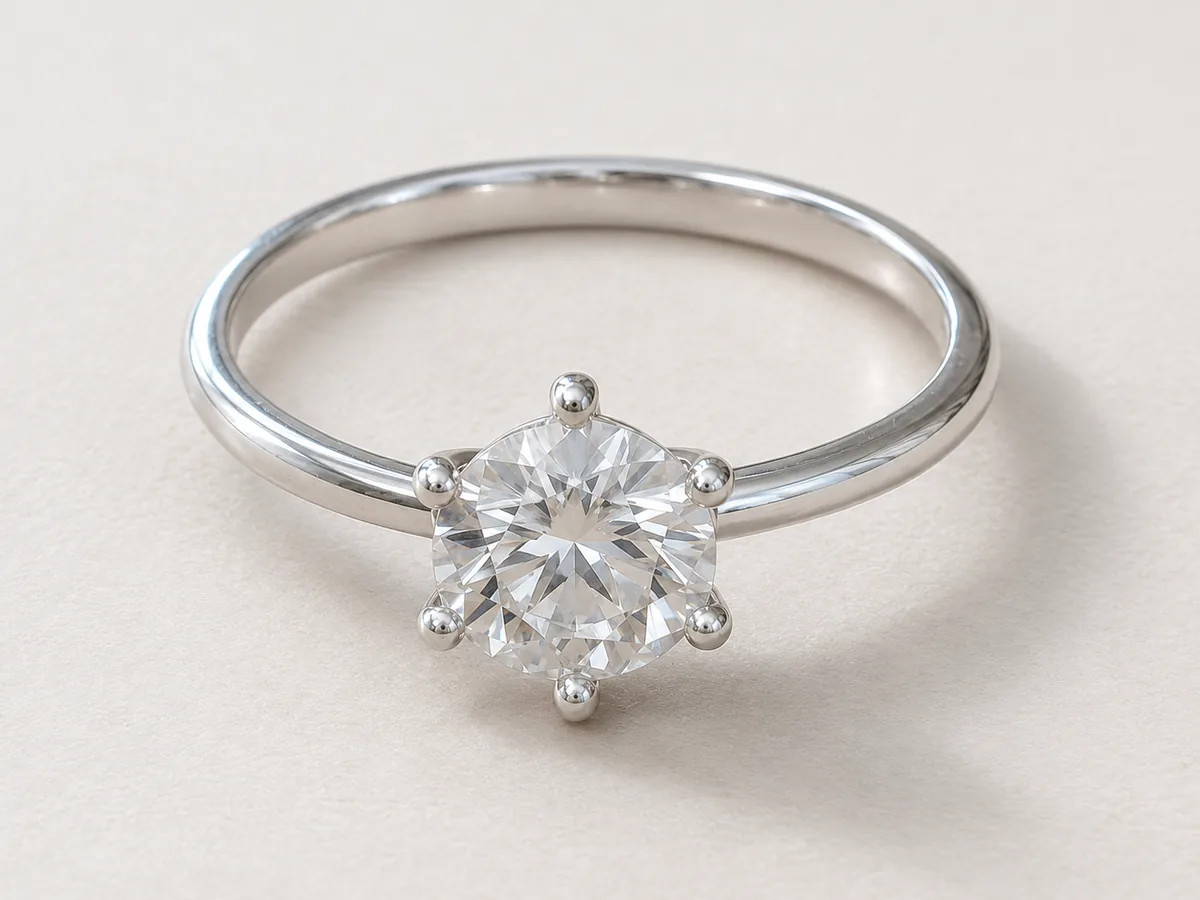
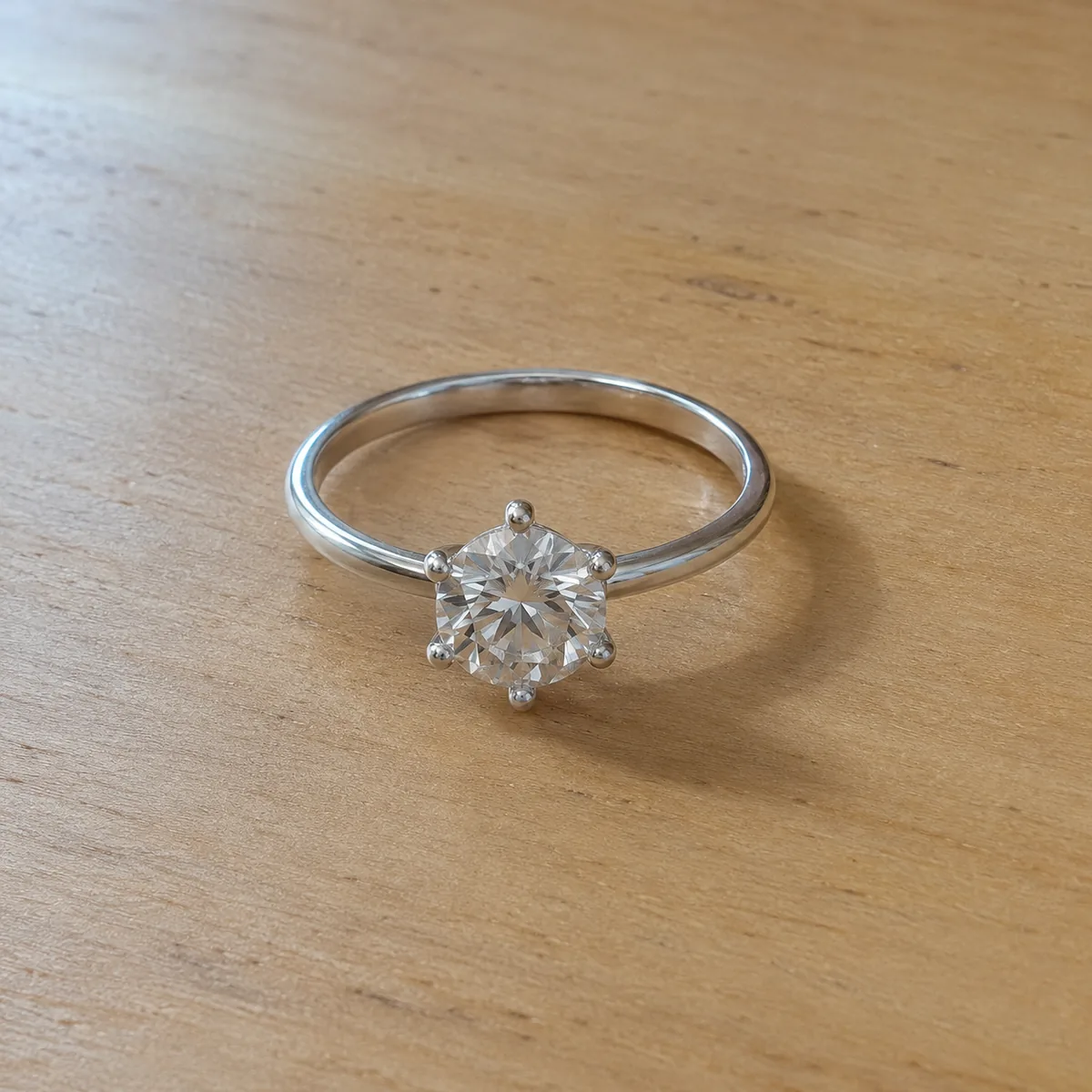
Compare a simple source composition with a brighter supporting composition. For your listing, start with a photo of the actual item you sell.

Silver six-prong solitaire ring on a wooden desk
Source composition: a silver solitaire ring on a simple wooden surface.
Silver six-prong solitaire ring on a bright neutral background
Supporting composition: a bright neutral background. Compare the stone, six prongs and metal tone.

04

How to Update a Jewelry Listing for the Etsy AI Photo Rules

Four steps for each listing, starting with the ones that sell most.

  1. 1

    Shoot one real photo of the piece

    Place the actual item on a real surface such as wood, linen or stone, near a window. Take the photo with your phone and do not crop, filter or adjust it. Our phone photography guide covers a simple setup.

  2. 2

    Add it to the listing as taken

    Upload the unedited photo straight from the camera roll. If you are unsure whether a light crop is acceptable, leave the photo untouched; that is the safe reading of the rule.

  3. 3

    Check every other photo for accuracy

    Compare each existing image with the piece in hand: stone count and color, metal tone, chain style, clasp and size. Remove or replace images that no longer match, such as old versions of a design.

  4. 4

    Rebuild supporting images from the real photo

    Create bright, styled or detail images from the real photo, then compare them with the piece before uploading. Follow the listing form’s disclosure questions for any AI use.

05

AI Product Photos on Etsy: Jewelry-Specific Cases

Jewelry raises a few situations the general rule does not spell out.

Made-to-order and personalized pieces

Engraved names, birthstones and custom sizes mean the exact item does not exist when you list it. Customized and made-to-order items are reported as exceptions, but read the exact wording. Where you can, photograph a real sample and say clearly that the photo shows a sample.

One-of-a-kind and vintage pieces

For unique items, the real photo is the most important image in the listing. Show condition honestly, including wear and patina, and never retouch away flaws in any image.

Metal colors and plating options

If a design comes in gold, silver and rose gold, each option a buyer can choose should be shown accurately. A recolored image of one metal is not the same as a photo of the other; photograph each finish you sell.

Gemstones and simulants

Images must not make a stone look clearer, bigger or more saturated than it is. Generated or edited images are never evidence of gemstone type, grade or treatment; state those facts in the description from your own records.

06

Etsy Jewelry Listing Photo Checklist

Run through this before you publish or update a listing.

Must have

  • At least one unedited photo of the actual item on a real background
  • Every image matches the item a buyer receives
  • All metal and stone options shown accurately
  • Condition, wear and flaws visible where they exist
  • AI use disclosed where the listing form asks

Remove or fix

  • Listings built only from mockups or AI scenes
  • Images of an older version of the design
  • Props or packaging that do not ship with the item
  • Size or material claims added as text on images without verification
  • Edits that hide scratches, inclusions or tarnish

Before you publish

Confirm the Current Policy Before You Rely on It

This guide summarizes Etsy’s October 2026 update as reported in public coverage and is not legal advice or an official Etsy statement. Etsy can change its policies at any time; read the Listing Image Requirements page and Etsy’s seller policy for the current wording.

Etsy is a trademark of its owner. Image 25 is not affiliated with or endorsed by Etsy.

References

Sources

Checked on . Platform rules change; confirm the current policy before you rely on it.

  1. Etsy: Listing Image Requirements (official policy)

    Primary source for the unedited photo rule, accuracy requirement and exceptions. Read the current wording here before acting on this guide.

  2. Etsy: Seller Policy (official policy)

    Primary source for seller obligations, including disclosure of generative AI use in listings.

  3. EcomCrew: Etsy Now Requires an Unedited Photo on Every Listing

    Coverage of the October 2026 update, including how strict the unedited photo rule is.

  4. Digital Commerce 360: Etsy AI policy update (October 2026)

    News coverage of the update, AI image allowances and enforcement.

Questions

Etsy AI Photo Rules FAQ

What are the Etsy AI photo rules for jewelry in 2026?

As reported for the October 2026 update, most listings need at least one real, unedited photo of the actual item on a real background, and every image must accurately represent the item. AI-assisted images are allowed as additional photos when they match the piece. Confirm the current wording on Etsy’s Listing Image Requirements page.

Can I still use AI product photos on Etsy?

Yes, as additional images. They must accurately represent the item, and they cannot replace the required unedited photo. Generate them from a real photo of the piece and compare every result with the item before uploading.

Can I crop or brighten the unedited photo?

Coverage of the update differs on whether light edits are allowed on that one photo. The safe choice is to upload it exactly as taken and keep all edits for your other images.

Do the new rules apply to my existing jewelry listings?

Yes. Existing listings that do not meet the requirements need updating. Start with your best-selling listings: add a real unedited photo and check that every other image still matches the item.

Are made-to-order and personalized jewelry exempt?

Customized and made-to-order items are reported among the exceptions, along with some print-on-demand and digital items. Read the exact exception wording for your listing type, and where possible photograph a real sample and label it as one.

What happens if my photos do not match the item?

Buyers who receive an item that differs materially from the listing can open a case, and a listing that did not meet the image requirements can lead to a refund at the seller’s cost. Accurate photos are the best protection.

Apply the Etsy AI Photo Rules to Your Next Listing

Keep your real photo in the listing, then build accurate supporting images from it.

Open Etsy listing photos