Crew neck
A round neckline is a clean frame for short chains that sit above it. Avoid it for long chains that would fall onto the fabric.
Jewelry Studio · On-model
A necklace photo should show where the pendant will sit. Upload one photo of the necklace, enter the chain length you sell and a neckline, and see it worn from shoulders to chin.
Updated · Image25 Jewelry Studio
15 credits · Fast · Medium · 1 image
Includes one reference photo. Every new generation costs 15 credits.
Email sign-in keeps your selection. Google sign-in leaves this page; reselect your photo and settings after returning.
Crew neck · 16 in / 40 cm
Round neckline; best for short chains.
Necklace on model photos take your necklace from a product photo and show it worn by a generated adult model. You choose the neckline and the chain length from your listing (16, 18, 20 or 24 inches), and the tool places the pendant where that length usually sits. One image costs 15 credits.
01
One disc pendant at three chain lengths and necklines.
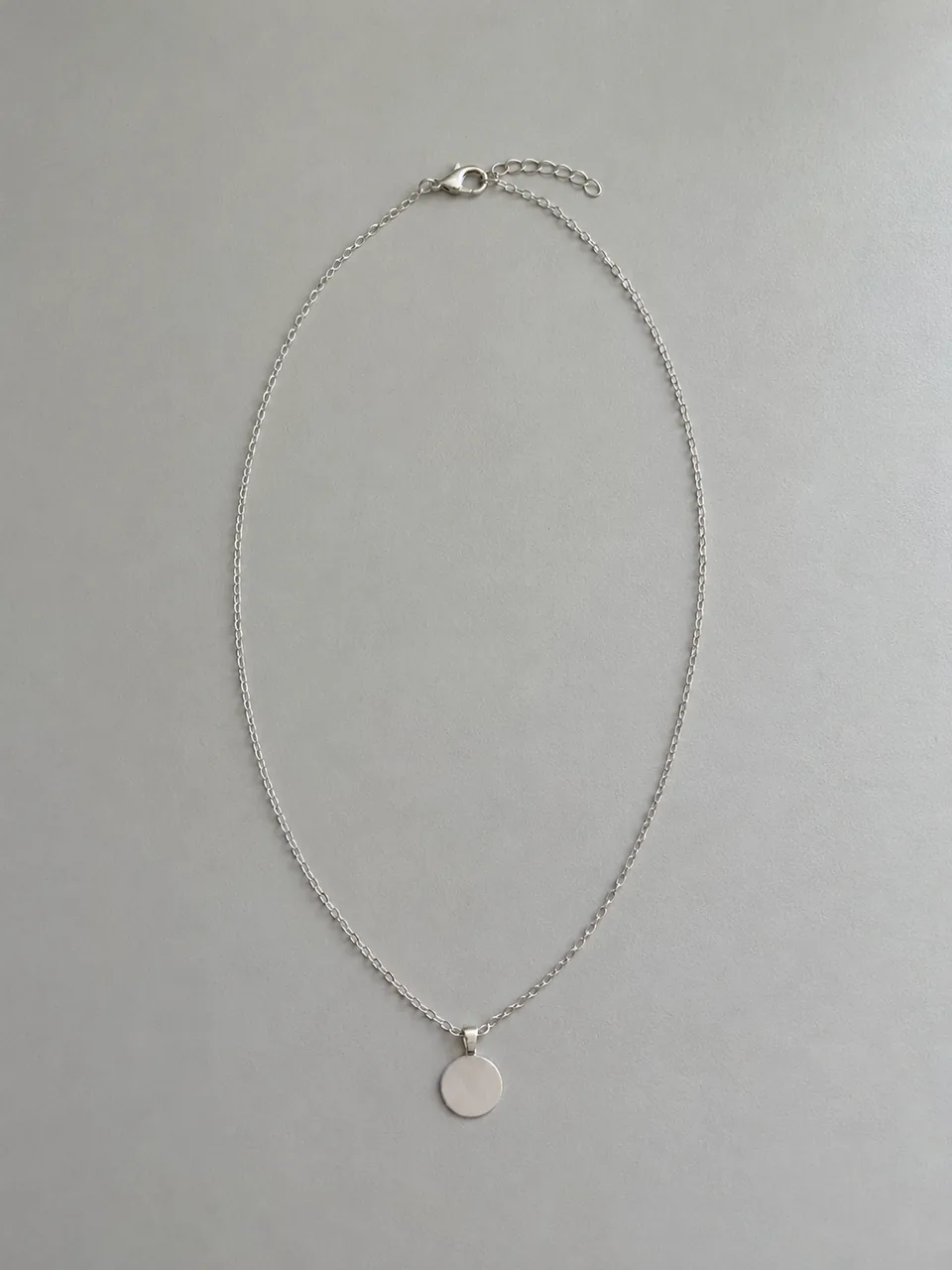 Before
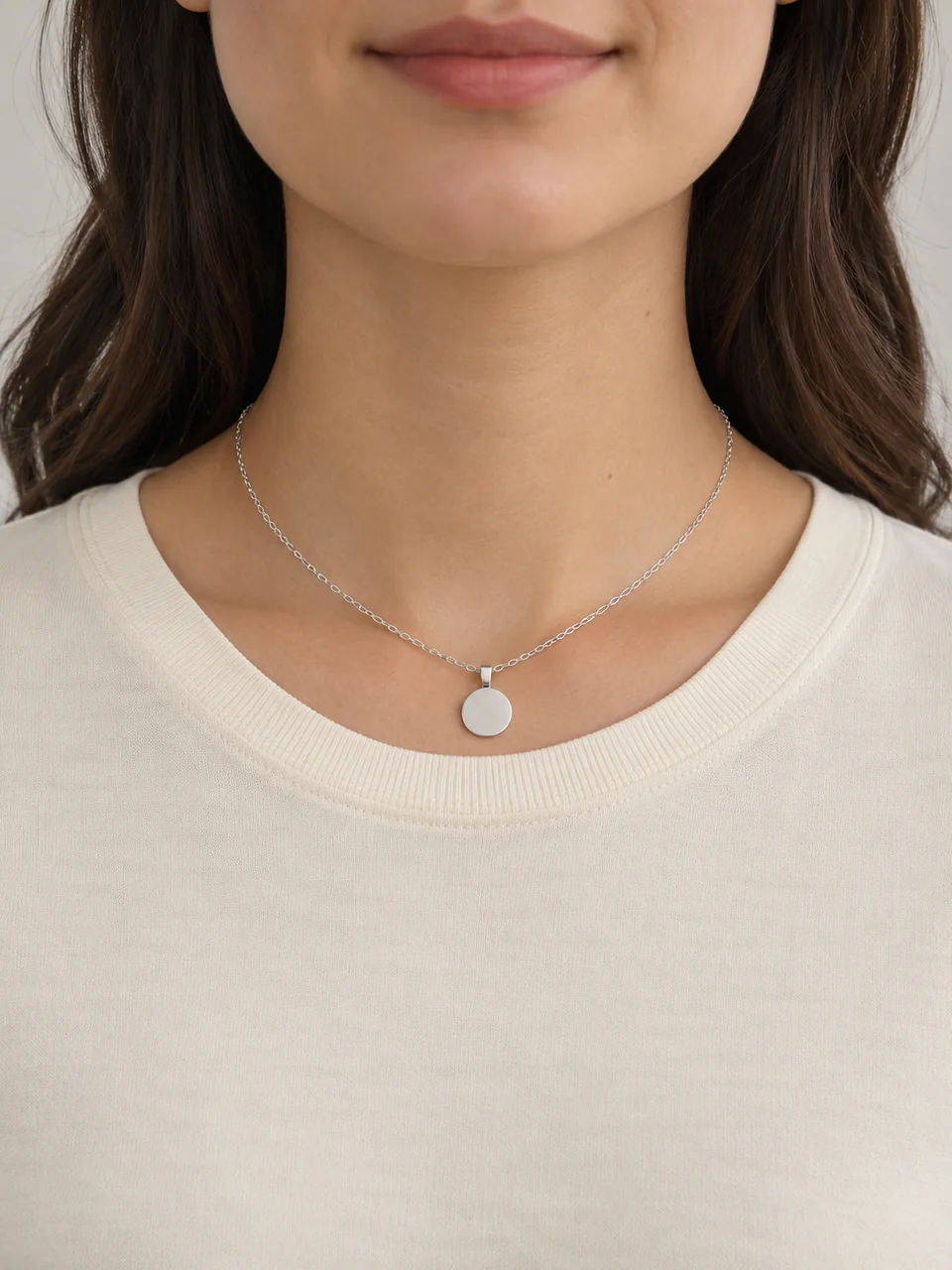 AfterBefore
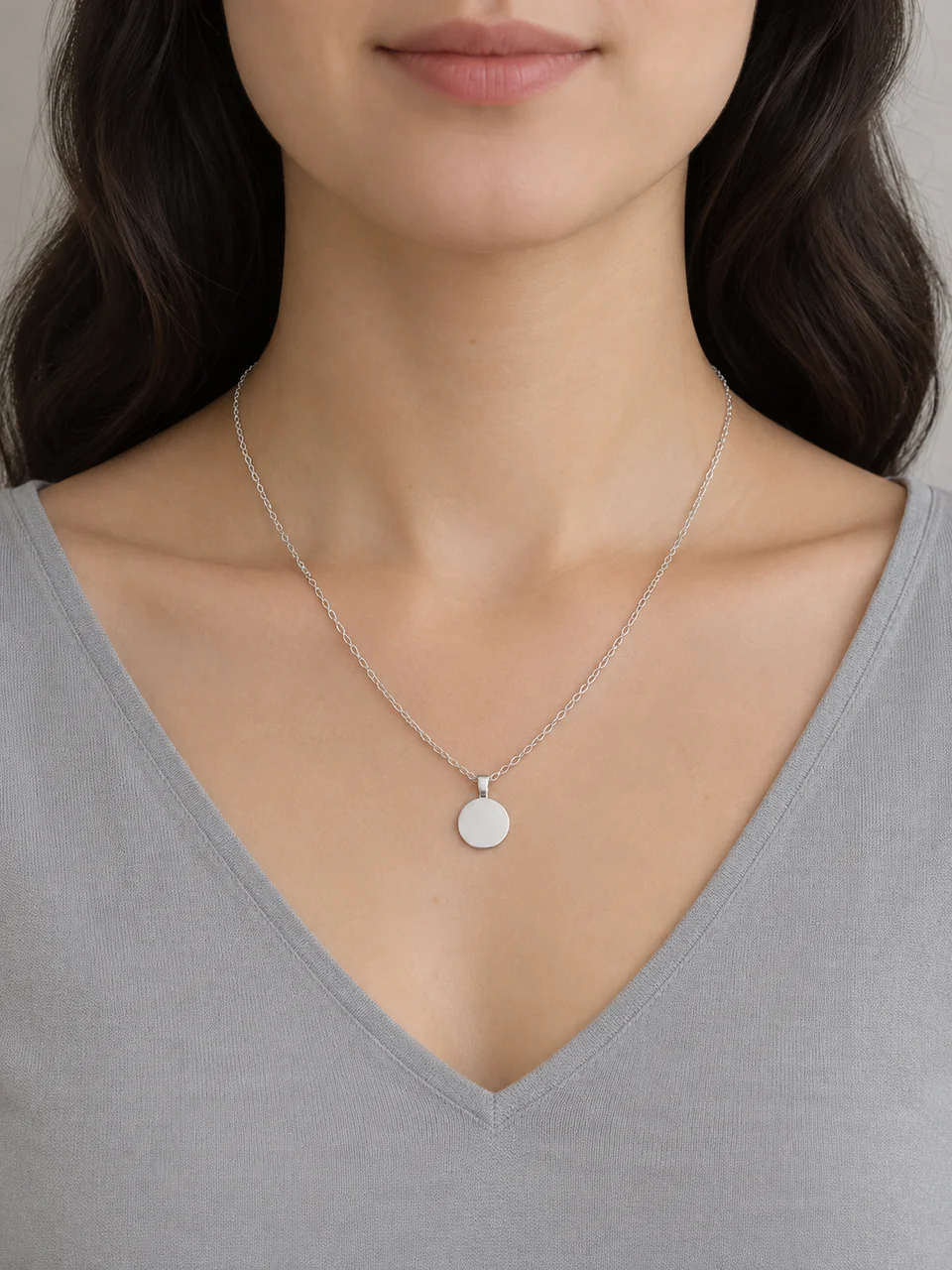 AfterBefore
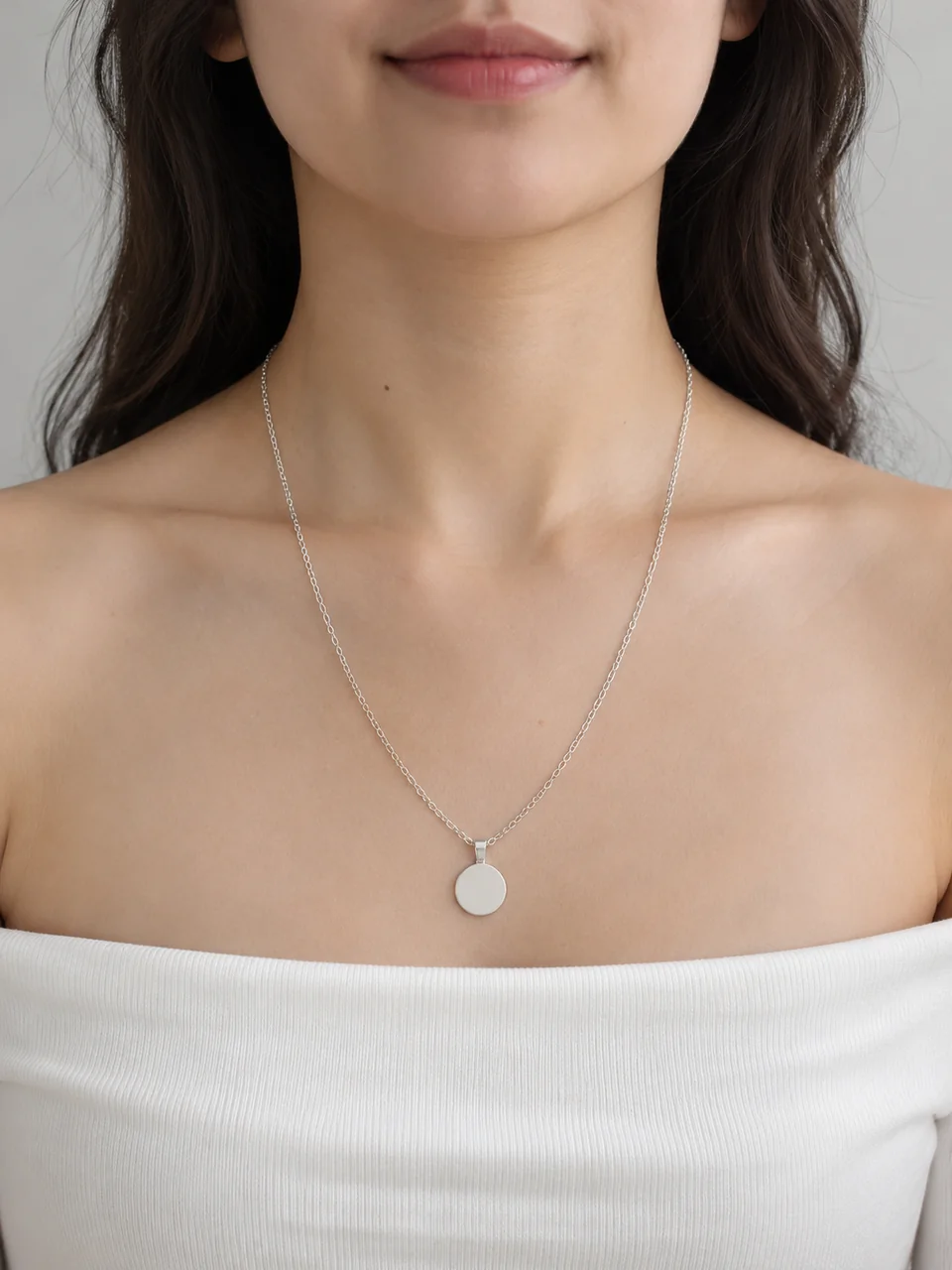 After
02
It is a worn image generated from a product photo. You upload the necklace on its own; the tool reads the pendant, chain and clasp from it and generates an adult model wearing it. The model, clothing and light are new; the necklace is meant to be yours.
The question buyers ask most about a necklace is where it will sit. A flat lay shows the design but not the drop. A worn photo answers it, as long as the length in the image matches the length you sell. That is why the tool asks you for the chain length instead of guessing it.
The chain length you choose is a seller fact, taken from your listing. The tool turns it into a typical position on an average adult: base of the neck for 16 inches, collarbone for 18, a little lower for 20, upper chest for 24. Real bodies vary, so it remains a preview.
03
Lay it in a soft oval or hang it so the pendant, bail, chain and clasp are all visible. Use one PNG, JPEG or WebP up to 20 MB.
Pick Crew neck, V-neck, Open collar or Off-shoulder, then the chain length stated in your listing. Choose a format and add notes for skin tone or top color.
Compare the pendant and chain with your photo and check that the drop matches the length you chose. Download only accurate results; each new option is a separate generation.
04
Typical positions on an average adult; real necks vary.
| Chain length | Usually sits | Common name | Works with |
|---|---|---|---|
| 16 in / 40 cm | At the base of the neck | Choker to short | Crew necks and open collars |
| 18 in / 45 cm | On or just below the collarbone | Princess | Almost every neckline |
| 20 in / 50 cm | A few centimeters below the collarbone | Matinee (short) | V-necks and off-shoulder tops |
| 24 in / 60 cm | Upper chest | Matinee (long) | High necklines and layering |
05
The neckline frames the pendant; choose one that leaves the chain visible.
A round neckline is a clean frame for short chains that sit above it. Avoid it for long chains that would fall onto the fabric.
The V points toward the pendant and suits 18 to 20 inch chains. It is the most flattering frame for a single drop.
A shirt with an open collar feels relaxed and everyday. It works for minimalist chains and unisex pieces.
An open neckline shows the whole chain and both sides of the neck. Use it when the chain itself is a feature, such as a paperclip or rope chain.
06
07
Compare these points with the real necklace before you download.
| Check | Good result | Reject if |
|---|---|---|
| Pendant | Same shape, stones, texture and metal | The pendant changed or gained details |
| Chain | Same chain style and thickness | Links changed style or the chain doubled |
| Drop | Where your chosen length usually sits | Clearly too high or too low for that length |
| Centering | Pendant hangs straight and centered | The pendant floats or twists unnaturally |
| Clasp | Hidden at the back of the neck | A clasp appears at the front |
| Model | Adult, natural skin, tasteful styling | Distorted neck or shoulders |
08
Generate one image per length you offer so buyers can pick.
Example: the same pendant at 16, 18 and 20 inches.
Name and initial pendants are bought for how they read when worn.
Example: an initial disc, V-neck, 18 in.
Show where a long chain falls so buyers can layer it with short ones.
Example: a long chain, Off-shoulder, 24 in.
A worn image helps gift buyers picture the piece on someone.
Example: a heart pendant, Crew neck, 16 in.
09
Worn images add context next to honest product shots.
Keep a product photo of the whole necklace first so buyers see the real pendant and chain.
If you sell several lengths, label each worn image with its length, or show only the length a variant ships with.
A simple chart with your measured lengths answers the fit question better than any single photo.
Check your marketplace’s current image rules and disclose AI-assisted images when they ask.
10
Most failed results have a simple cause.
Check that you chose the chain length from your listing. If the drop still looks wrong, regenerate; positions are estimates on an average body.
Fine chains are easy to redraw. Use a sharper source photo and add the chain type to the notes, such as “thin cable chain”.
Lay the necklace flat with the pendant facing up in the source photo, and add “pendant facing forward” to the notes.
Choose V-neck or Off-shoulder for longer chains, or name a lower neckline in the notes.
Before you publish
The tool places the pendant from the chain length you pick and an average adult body. It does not measure your necklace. If you pick the wrong length, the image will show the wrong drop, so always use the length in your listing.
Pendants, bails and fine chains can change in generated images. Reject any result where the necklace differs from what the buyer receives.
Questions
Upload a photo of the necklace, choose a neckline and the chain length you sell, and generate. An adult model is generated wearing your necklace, framed from shoulders to chin, with the pendant where that length usually sits.
Because the image cannot measure it. Chain length is a seller fact, so you choose it from your listing and the tool uses it to place the pendant. This keeps the photo from implying a length you do not sell.
On an average adult, an 18 inch (45 cm) chain sits on or just below the collarbone. A 16 inch chain sits at the base of the neck, 20 inches a little lower and 24 inches on the upper chest. Necks and bodies vary.
A V-neck frames a single pendant on an 18 to 20 inch chain. Use a crew neck for short chains, an open collar for everyday pieces, and an off-shoulder top when the chain itself is the feature.
Mostly not. The framing runs from the shoulders to the chin so the necklace stays the focus. Use the AI jewelry model tool for portraits that include the face.
The tool is built for one necklace per image. For a layering set, photograph the set as one piece and check every chain carefully, or use a real photo.
Each image costs 15 credits on the default Fast setting, including your reference photo. New accounts that use Google sign-in or a Gmail address get 20 free credits, enough for one image. Free-credit images carry a watermark and are for personal use; use paid credits for store and marketplace images.
Your upload is private and scheduled for deletion after one day. On a free account, generated images stay in My Creations for 14 days; paid plans and credit packs keep them longer.
Upload a photo of the whole necklace, choose a neckline and your chain length, and check the drop before you publish.
Upload a necklace photo